To import an .ics file into Google Calendar, open Google Calendar on a computer, click the gear icon, then Settings, then “Import & export.” Choose the file, pick the calendar the events should go into, and click Import. The Google Calendar phone app has no import, and an imported file never updates, so if the calendar comes as a link instead of a file, subscribe to it.
This guide covers the import itself, the two habits that save you from cleaning up afterwards, what to do when the import fails, and what to do when the calendar you have isn’t an .ics file at all.
How do I import an .ics file into Google Calendar?
- Open Google Calendar on a computer.
- Click the gear icon at the top right, then Settings.
- In the menu on the left, click “Import & export.”
- Click “Select file from your computer” and choose the .ics file. If it came as a .zip, unzip it first and import each .ics file on its own.
- Under “Add to calendar,” choose the calendar for the events. It starts on your main calendar.
- Click Import.
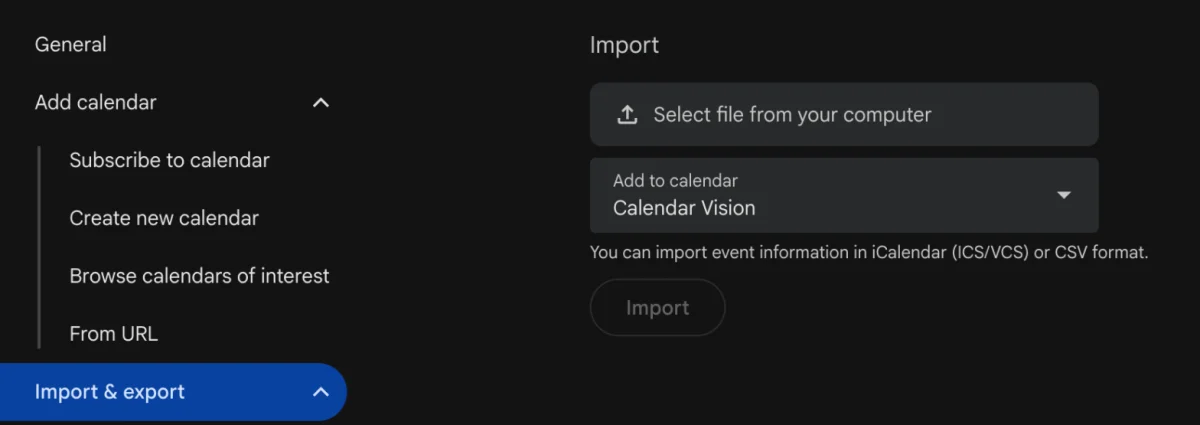
Google Calendar also imports .csv files the same way. Guests and video call links on the events aren’t imported.
Make a separate calendar first
Before you import, create a calendar just for these events: in Settings, click “Add calendar,” then “Create new calendar,” and name it after the source, like “School 2026–27.” Then choose it under “Add to calendar” when you import. If the file turns out to be wrong, or the school sends a corrected one, you delete that one calendar instead of hunting down 50 events in your main calendar one by one. It also gets its own color and can be hidden with one click.
On a phone
Google’s import works on a computer only; the Google Calendar app for iPhone and Android has no import. Without a computer, open calendar.google.com in your phone’s browser and switch to the desktop site (in Safari, tap the page menu in the address bar and choose Request Desktop Website). On an iPhone you can also tap the .ics file in Mail or Files: Apple’s Calendar app offers to add the events, and you can choose a calendar from your Google account if it’s set up in Settings.
Should I import the file or subscribe to the calendar?
An import is a copy. Google Calendar reads the file once, and if the school moves a date or the league reschedules a game afterwards, your calendar never hears about it. A subscription stays connected to the calendar’s address and picks up changes on its own.
So if what you have is a link (it starts with webcal://, ends in .ics, or sits behind an “Add to Google Calendar” or “Subscribe” button), subscribe instead of downloading and importing. In Google Calendar that’s “Other calendars,” then “From URL.” How to subscribe to a calendar has the steps for Google Calendar, iPhone, and Outlook. Import when you only have a file, or when the events won’t change, like a conference agenda or a flight.
How do I add school, sports, or holiday calendars?
Public holidays are built in: in Google Calendar, click the plus sign next to “Other calendars,” then “Browse calendars of interest,” and turn on the holidays for your country. School days off, sports seasons, and club schedules aren’t there; they come from the school or league.
Look for a calendar link on the school or league site first and subscribe to it. Many only publish a PDF, though, and Google Calendar can’t import a PDF. For those, see how to add a school calendar to your phone and how to add a sports schedule to Google Calendar, or turn the PDF into an .ics file as described next.
What if my calendar isn’t an .ics file?
Most of the calendars families deal with arrive as a PDF, a photo of a printout, a web page, or an email, not as an .ics file. Google Calendar can’t import any of them. Calendar Vision reads them and makes the .ics file for you:
- In Calendar Vision, tap Add events and add the PDF or photo, paste the web page’s link, or forward the email.
- Check the events it finds. If the document covers several teams, grades, or classes, type yours in “Only include events for” before you upload.
- On calendarvision.app in a browser, click Download .ics under the events to get all of them in one file, then import it with the steps above.
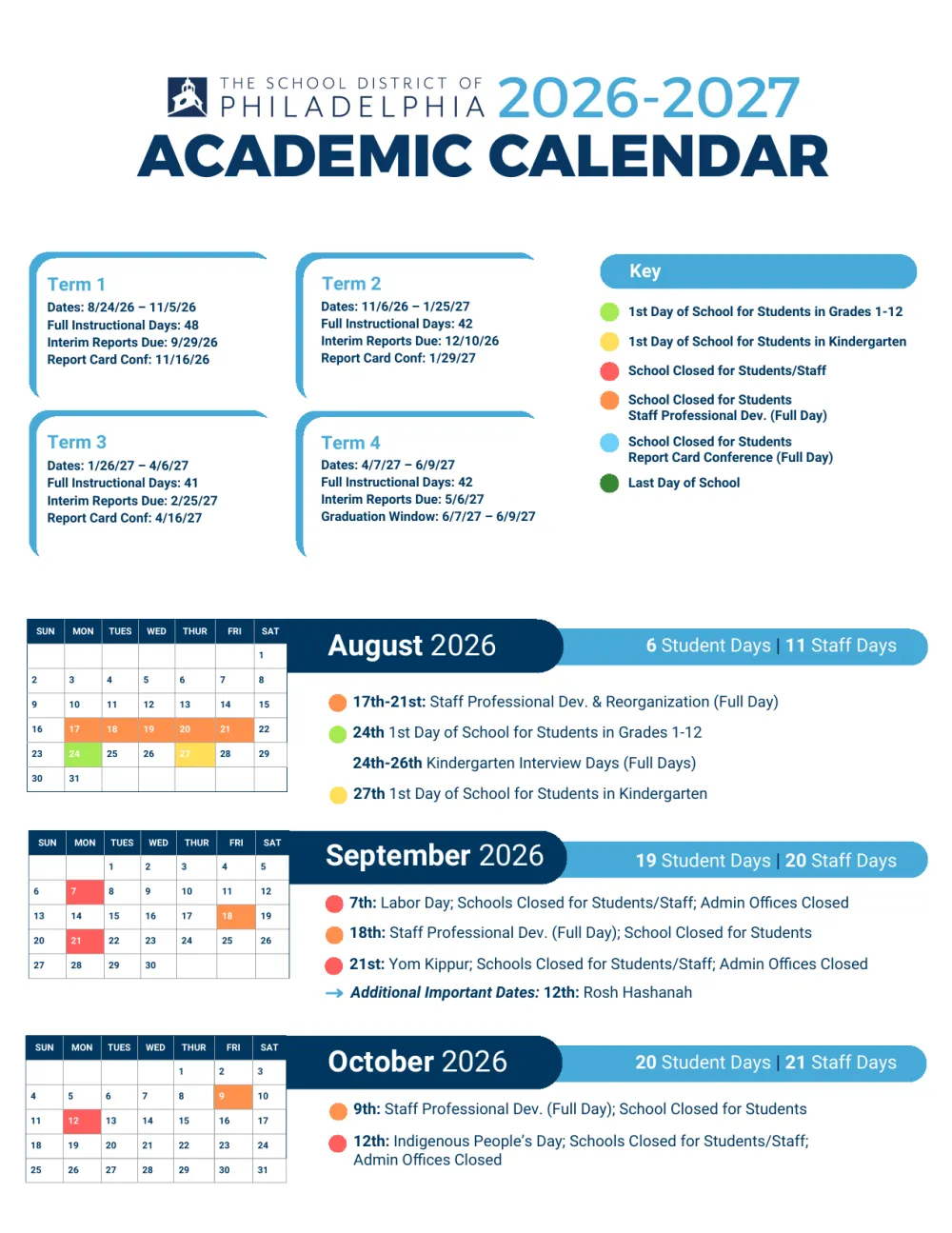
To show what that looks like, here is the School District of Philadelphia’s 2026–27 calendar, a four-page PDF, after Calendar Vision read it: every day off, break, and first and last day as an all-day event, with the download at the bottom.
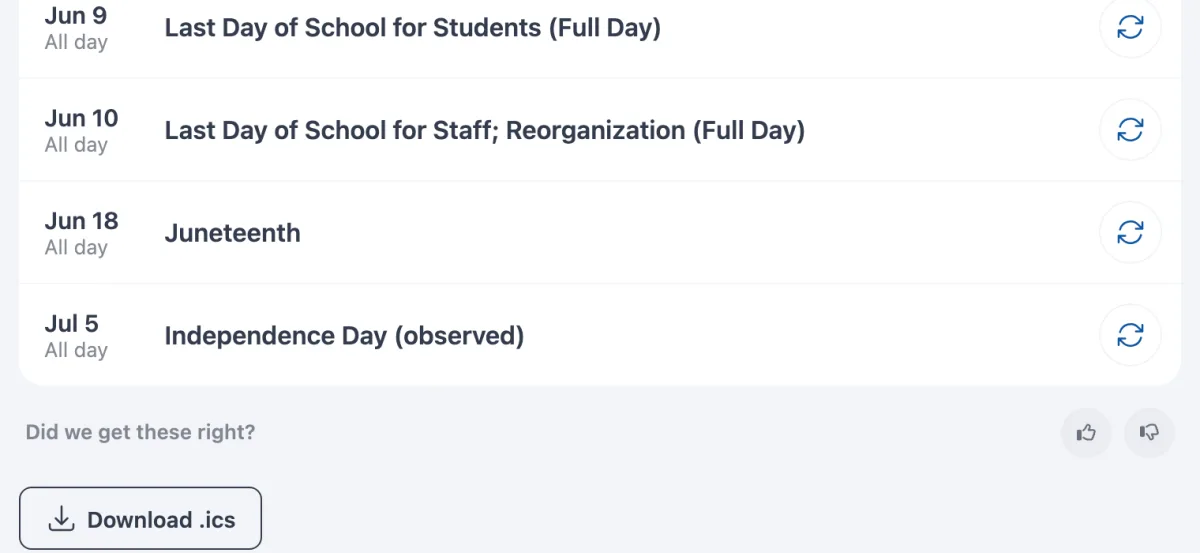
If you only need the file, the PDF to ICS converter does the same in one step, and how to turn a PDF schedule into calendar events walks through PDFs in detail. If you’d rather not import at all, sync the events instead and subscribe to your Calendar Vision calendar once; everything you add later shows up without another import.
Why isn’t my .ics import working?
- The file isn’t really an .ics file. Some sites hand you a web page saved as .ics, or a file named .ics.txt. Open it in a text editor: a real one starts with BEGIN:VCALENDAR. If it doesn’t, go back to the site and look for a download or subscribe link.
- You’re on your phone. The Google Calendar app can’t import. Use a computer or the desktop site in your phone’s browser.
- It came as a .zip. Google Calendar won’t open a .zip. Unzip it and import each .ics file.
- The events landed in the wrong calendar. The import goes to your main calendar unless you change “Add to calendar.” Delete them, or delete the separate calendar if you used one, and import again.
- The times are off by a few hours. Check your time zone under Settings, then General, before you import. If only the imported events are off, the file was written for another time zone; the source usually offers a corrected file or a subscription link.
- The events never update. That’s how imports work. Delete the imported calendar and subscribe to the source’s link instead, or import the new file into a fresh calendar.
Frequently asked questions
- Why isn't my ICS import working in Google Calendar?
- Usually the file isn't a real .ics file (one starts with BEGIN:VCALENDAR), you're trying in the phone app, or it came as a .zip. Import on a computer from Settings, then Import & export, and unzip a .zip first.
- Can I import an .ics file on my phone?
- Not in the Google Calendar app. Open calendar.google.com in your phone's browser and request the desktop site, or on an iPhone tap the file and add the events with Apple's Calendar app.
- How do I bulk import events into Google Calendar?
- Put them in one .ics or .csv file and import it once from Settings, then Import & export. One file can hold hundreds of events. If they're in a PDF or a photo, Calendar Vision can turn them into one .ics file first.
- Will imported events update if the source changes?
- No. An import is a one-time copy. If the source offers a calendar link, subscribe to it instead so changes show up on their own.
- How do I undo an import?
- If you imported into a calendar you created for it, delete that calendar in Settings. If you imported into your main calendar, you have to delete the events one by one, which is why a separate calendar is worth the extra minute.
- Can I import a PDF calendar into Google Calendar?
- No. Google Calendar imports .ics and .csv files. Upload the PDF to Calendar Vision, check the events, and download them as one .ics file, or use the PDF to ICS converter.