If your league publishes a calendar feed, subscribe to it and you’re done. If all you have is a PDF, a photo of the printed schedule, or an email from the coach, upload it to Calendar Vision, type your team’s name in “Only include events for,” and every game becomes its own event with the field as the location. Sync once and the season shows up in Google Calendar, Apple Calendar, or Outlook.
Youth and rec league schedules are usually a grid: dates across the top, kickoff times down the side, team numbers or names in the cells, and twenty teams sharing one page. It’s easy to read at the field and tedious to copy into a phone, which is why so many families end up with a photo of it in the camera roll and no games on the calendar.
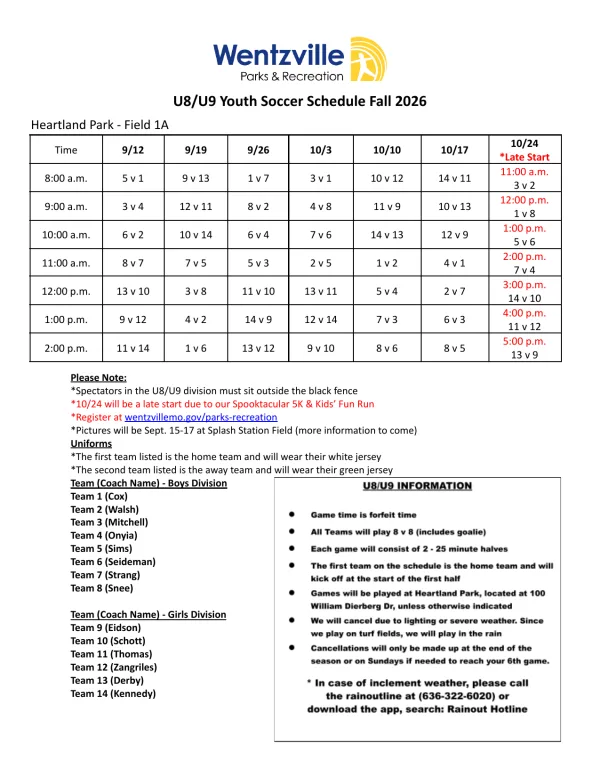
Here’s how it works with two real schedules: a one-page U8/U9 grid from Wentzville Parks & Recreation in Missouri, and a four-page first and second grade league schedule from Nibley, Utah.
Does the league already publish a calendar feed?
Check first. Leagues that run on TeamSnap, SportsEngine, GameChanger, or a similar platform usually offer a “Subscribe,” “Add to calendar,” or “.ics” link on the team page. If yours does, subscribe to that feed and the league keeps it current for you.
Most town rec leagues, parish leagues, and school intramurals don’t. The schedule is a spreadsheet exported to PDF, posted on the parks department site, pinned in a Facebook group, or emailed by the coordinator. That’s where Calendar Vision helps.
How do I add a sports schedule PDF to Google Calendar?
Step 1: Get the schedule as a file or a photo
Download the PDF from the league site, save the attachment from the coach’s email, or take a photo of the printed sheet. All three work. Wentzville’s U8/U9 fall schedule is a single page: seven Saturdays from September 12 to October 24, seven kickoff times from 8:00 a.m. to 2:00 p.m., and a team number in every cell, with a note that October 24 starts late because of the Spooktacular 5K.
Step 2: Upload it and name your team
Open Upload Images, choose the PDF or the photo, and before you tap Upload, type your team in the “Only include events for” field: “Team 5,” “Dragons,” or whatever the schedule calls you. Calendar Vision then reads the whole grid but only creates events for your games. Leave the field empty and you get every game in the league, which is what a coordinator or a referee wants, and not what a parent wants.
Multi-page PDFs are read page by page, so a season that runs to four pages is fine. You can also upload up to 10 photos at a time if the schedule was handed out as a stack of pages.
Step 3: Check the games
A one-page grid takes about a minute. From the Wentzville PDF without a team filter, Calendar Vision created 49 events, one for every cell in the grid: the 8:00 a.m. game on September 12 between teams 5 and 1 through the 5:00 p.m. game on October 24. The late-start column came through correctly, with the October 24 games at 11:00 a.m., noon, 1:00, 2:00, 3:00, 4:00, and 5:00 p.m. instead of the usual times. Heartland Park is the location on every game.
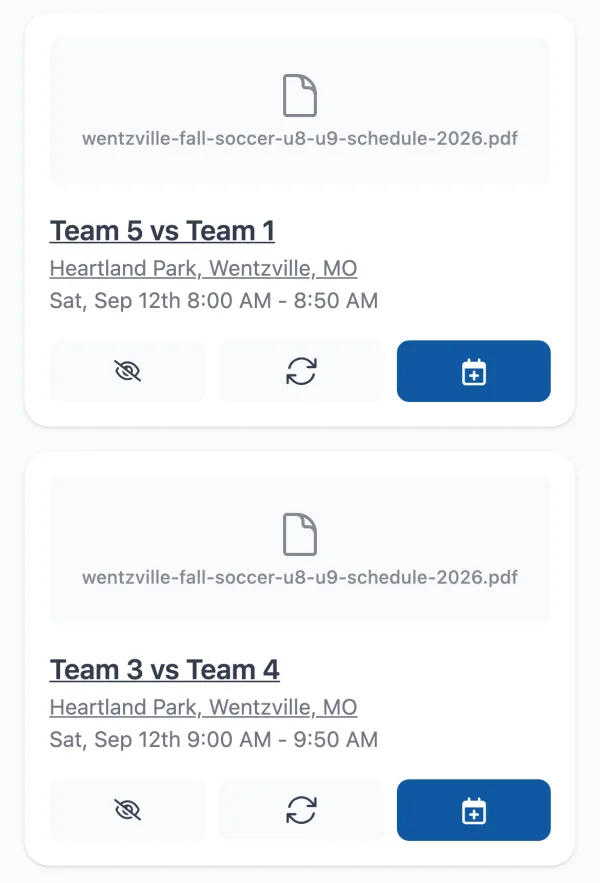
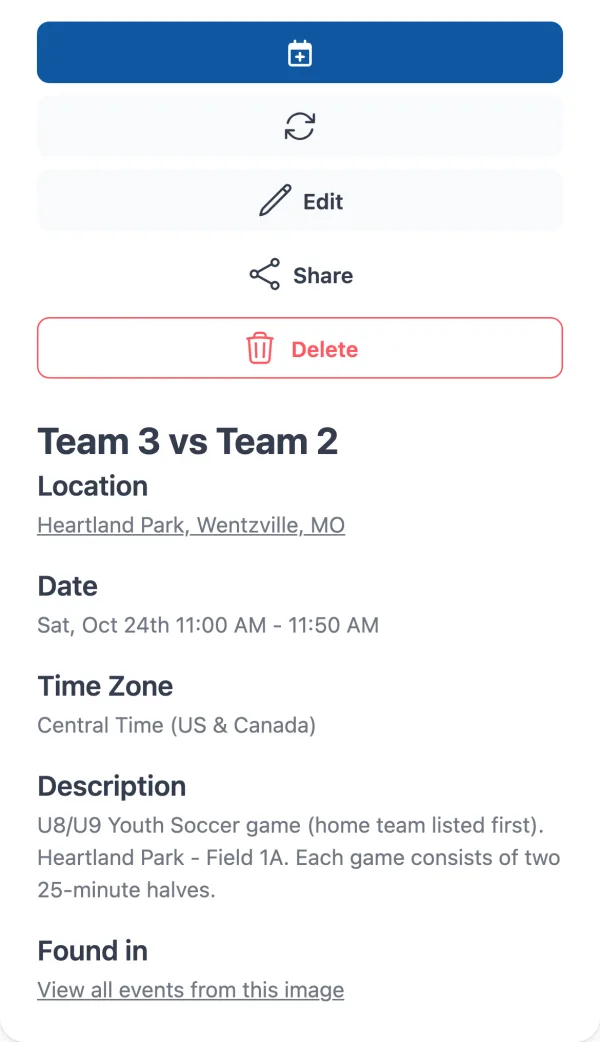
Each game is a normal event: both teams in the name, a start time, an end time taken from the “2 - 25 minute halves” note, and the park. Games aren’t repeating events, even when your kid plays every Saturday at 9, because the opponent and the time change each week.
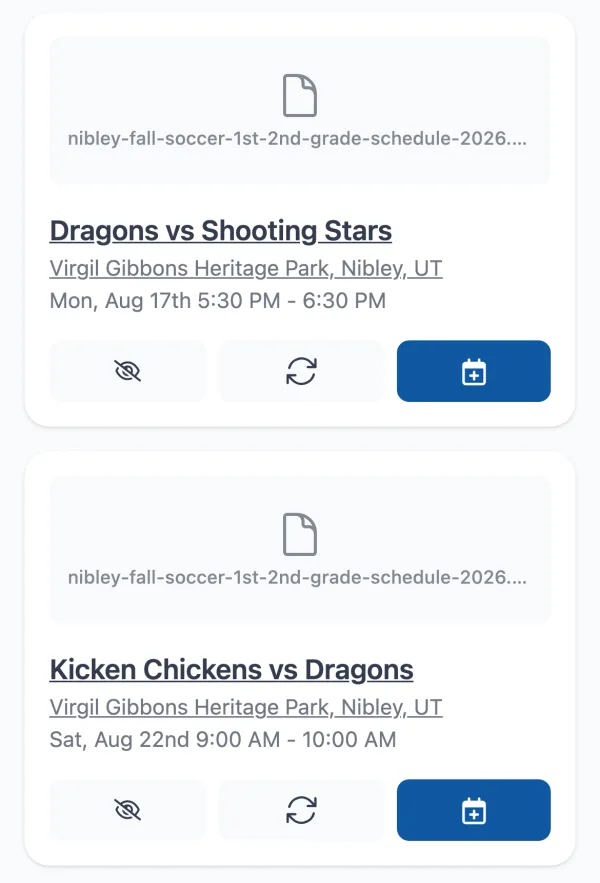
With a team filter the list is short. The Nibley schedule lists more than 110 games across four pages, Mondays at 5:30 and 6:30 p.m. and Saturdays at 9, 10, and 11 a.m., on six fields across two parks. With “Dragons” in the filter, Calendar Vision returned the Dragons’ nine games and nothing else, from the opener against the Shooting Stars on Monday, August 17 to the parents’ game on September 12, all at Heritage Park.
Check the list against the PDF before you sync it. In our run, one of the nine Dragons games landed on the wrong day: the game against the Party Penguins is on Monday, August 31 in the schedule and came through as Saturday, August 29. Dense four-page grids are where this happens, and a wrong day is easy to fix with Edit and hard to spot in October.
Step 4: Fix the details once
Schedules name parks and fields, not addresses. Calendar Vision matched Heartland Park to its street address on its own; if yours comes through as just a name, tap Bulk Edit Events and enter the address once, and it updates every game from that upload. The same trick renames all the games if you’d rather see “Maya soccer” than “Team 5 vs Team 1” on the calendar.
Step 5: Get the games into Google Calendar, iPhone, or Outlook
For one or two games, tap “Add to Calendar” on each. For a season, sync instead: tap Sync on the games (or on all of them at once), then subscribe to your Calendar Vision calendar one time in Google Calendar, Apple Calendar, or Outlook. On Android, add the subscription in Google Calendar on the web and it appears in the Google Calendar app on your phone after the next sync. Anything you sync later, like next season’s schedule, shows up on its own.
What does Calendar Vision find in a league schedule?
These are the events it created from the Wentzville grid:
| On the schedule | Calendar Vision creates |
|---|---|
| “5 v 1” in the 8:00 a.m. row under 9/12 | “Team 5 vs Team 1” on Saturday, September 12 from 8:00 to 8:50 a.m. |
| “Heartland Park - Field 1A” in the header | Heartland Park on every game, resolved to its street address so you can open it in Maps |
| The red “*Late Start” column with “11:00 a.m. 3 v 2” under 10/24 | The October 24 games at their late-start times, not the usual row times |
| “Each game will consist of 2 - 25 minute halves” in the notes | Games that last 50 minutes, so the next one on the calendar never overlaps |
| “Pictures will be Sept. 15-17 at Splash Station Field” | Nothing, because no date is tied to your team; add picture day by hand |
What about a photo of the schedule, an email, or a TeamSnap page?
A photo of the printed grid goes through the same steps; share it to Calendar Vision from your camera roll the way you would any flyer, and use the team filter the same way. If the coordinator emailed the schedule, forward the email; Calendar Vision reads the attachment and the message. If the schedule lives on a web page, paste the link instead of screenshotting it.
What happens when the league changes the schedule?
Rainouts get made up and fields get swapped. When the league posts a revised schedule, upload it again with the same team filter. Calendar Vision marks games that look like ones already in your calendar, so you only add the ones that changed, and you can delete the old game from the calendar in the app.
Can I do the same with a work schedule or a class schedule?
Yes. A shift roster, a semester timetable, or a dance studio’s class list is the same kind of grid, and the team filter works on your name or the class name. A district calendar of days off is a different shape; see how to add a school calendar to your phone for that one.
How do I get the best results?
- Type the team the way the schedule writes it. A grid of numbers wants “Team 5” or “5”; a grid of names wants “Dragons.” If you get too few games, try the other form.
- Prefer the PDF to a photo of it. Dense grids with small type read better from the file. If you only have a photo, take it straight on, in good light, and crop to the table.
- Count the games. A season has a known number of games; if the list is short by one, check the dates with footnotes or late starts and add the missing game.
- Keep the filter when you re-upload. A revised schedule with no filter brings back the whole league.
Frequently asked questions
- How can I add sports fixtures to my calendar?
- Upload the fixture list as a PDF or photo to Calendar Vision, type your team in "Only include events for," and sync the fixtures to Google Calendar, Apple Calendar, or Outlook.
- How do I add a sports schedule to Google Calendar on Android?
- Upload the schedule in the Calendar Vision Android app or on the web, sync the games, and subscribe to your Calendar Vision calendar in Google Calendar on the web. The subscribed calendar shows up in the Google Calendar app on your Android phone.
- Does it work with a photo of the schedule instead of a PDF?
- Yes. Share the photo to Calendar Vision from your camera roll and use the team filter. The PDF gives cleaner results on dense grids, so use it when you have it.
- Can I get only my child's team's games, not the whole league?
- Yes. Type the team name or number in "Only include events for" when you upload. Calendar Vision reads the whole schedule and creates events only for that team's games.
- What if the league publishes a calendar feed?
- Subscribe to the feed instead. It stays current when the league changes a game. Calendar Vision is for schedules that only exist as a document.
- Is Calendar Vision free?
- You can start free with 5 extractions and no credit card. Calendar Vision Pro removes the limit for $3.99 a year or a one-time $9.99 lifetime purchase.