PDF or image to ICS converter
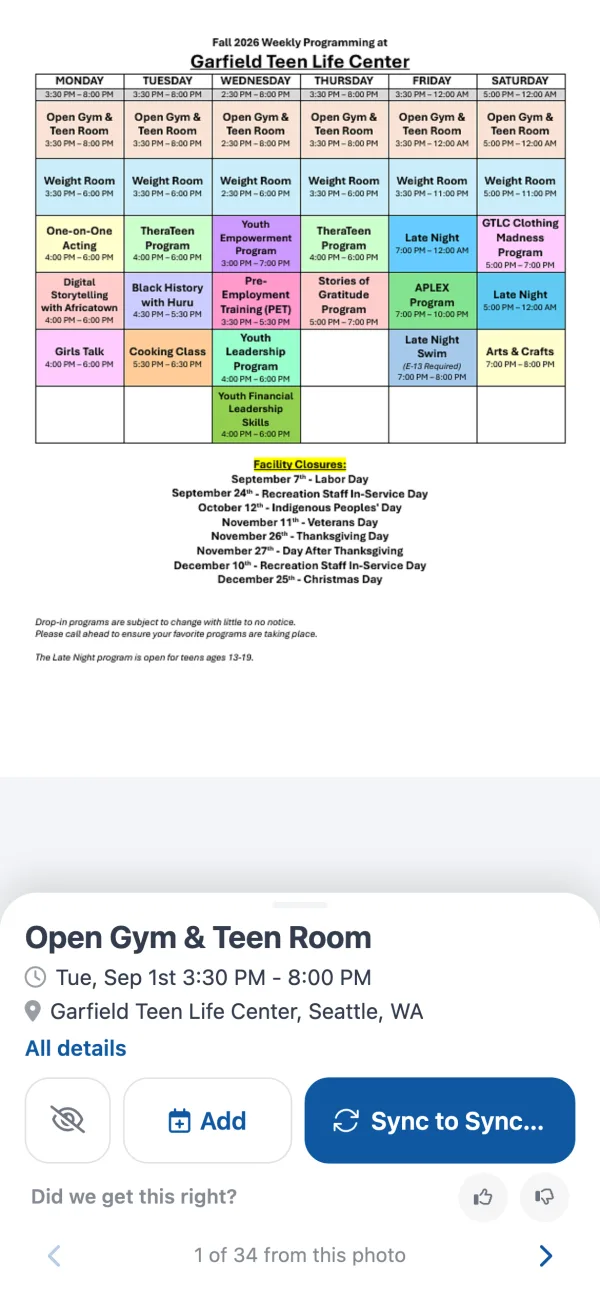
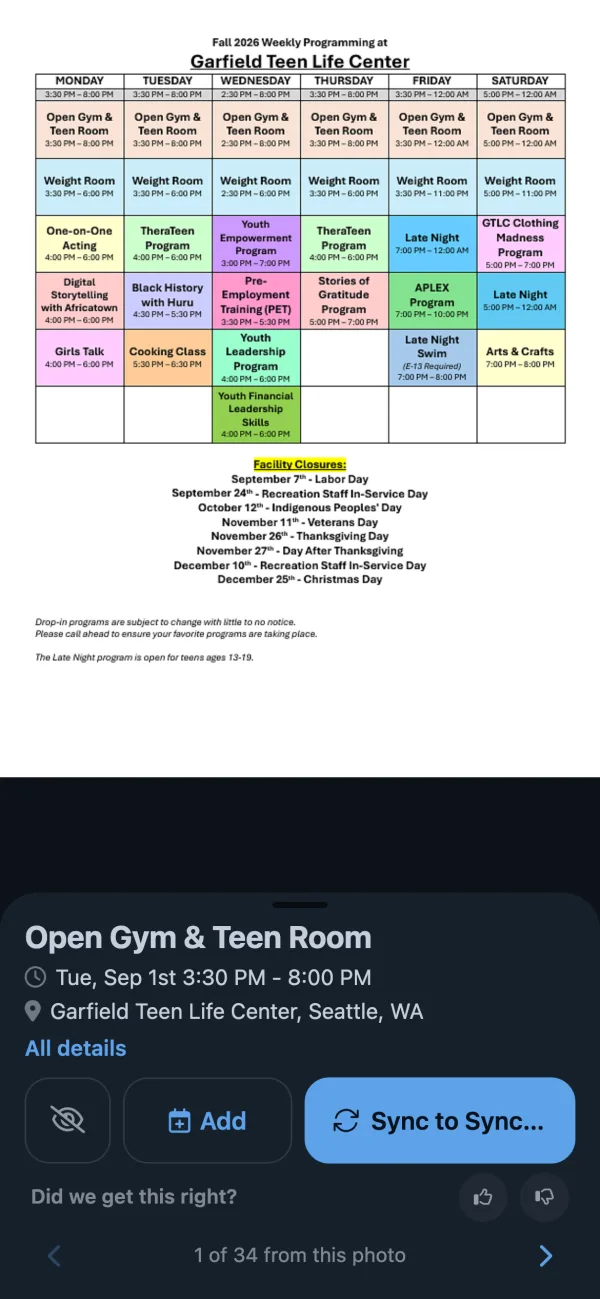
Upload a school calendar, sports schedule, class timetable, flyer photo or screenshot: any PDF or image with dates. Calendar Vision reads it and gives you an .ics file with one event per date.
Sign up free to convert your file
PDF, JPG, PNG or GIF. Your first 3 files are free.
Already have an account? Log in
How to convert a PDF or image to an .ics file
- Upload the PDF or image. Scanned pages, photos of paper schedules and screenshots all work.
- Review the events. Each date becomes its own event with its time, place and repeat rule; fix or remove any of them.
- Download the .ics file and import it into Google Calendar, Apple Calendar or Outlook, or sync the events straight to your calendar.
Files that convert well
- School year calendars with days off, breaks and early dismissals
- Sports and league schedules with dates, times and fields
- Class timetables and weekly activity schedules
- Work rosters and shift schedules
- Camp, recital and event programs
- Photos of flyers and screenshots of event posts
Questions
- How do I convert a PDF to an ICS file?
- Upload the PDF on this page. Calendar Vision reads every date in it, turns each one into an event, and lets you download all of them as a single .ics file.
- Can I convert a photo or screenshot to an ICS file?
- Yes. Upload a JPG, PNG or GIF, such as a photo of a flyer or a screenshot of a schedule, and Calendar Vision reads it the same way it reads a PDF.
- Can Google Calendar import a PDF?
- No. Google Calendar only imports .ics and .csv files. Convert the PDF to an .ics file here first, then import it in Google Calendar under Settings, Import & export.
- Is this PDF to ICS converter free?
- Your first three files are free, with every feature. After that, Calendar Vision Pro costs $3.99 a year or $9.99 once for unlimited files.
- Can ChatGPT make an ICS file from a PDF?
- It can write an .ics file, but you have to check every date it typed and fix the file when your calendar rejects it. Calendar Vision reads the PDF itself, shows each event for review, and produces a file that imports cleanly.
- What happens to my file after I upload it?
- It is stored in your account so you can see where each event came from. You can delete it and its events at any time.
Read the full guide to turning PDF schedules into calendar events