To add an event from a website to your calendar, share the page’s link to Calendar Vision. It opens the page, reads it, and creates an event with the name, date, time and venue address filled in. A page that lists several dates, like a theater run or a meetup calendar, becomes a separate event for each one. It works with Eventbrite, Luma, venue sites, and pages that don’t have an “Add to calendar” button at all.
Plenty of event pages make you copy the details by hand. Some only offer a calendar link after you buy a ticket, some offer one for the main event but not the talkbacks or special performances further down the page, and many small venues offer nothing. Copying a date, a time and an address takes a minute; doing it for every event you’re interested in adds up.
Here’s how it works with three real pages from Philadelphia: an Eventbrite listing, a Luma meetup calendar, and a theater production page.
How do I add an event from a website to my calendar?
Step 1: Share the link to Calendar Vision
- On iPhone: tap Share in Safari or any app, choose Calendar Vision, check the time zone, and tap Submit.
- On Android: tap Share and choose Calendar Vision.
- On the web: open Add Web Page, paste the link, and click Create.
Step 2: Let Calendar Vision read the page
Calendar Vision opens the page the way a visitor would, takes a picture of it, and reads the picture like it reads a photo of a flyer. That means it doesn’t matter how the page is built or whether it has structured event data. If the date is on the page, Calendar Vision can find it. It usually takes under a minute.
Step 3: Check the event and add it
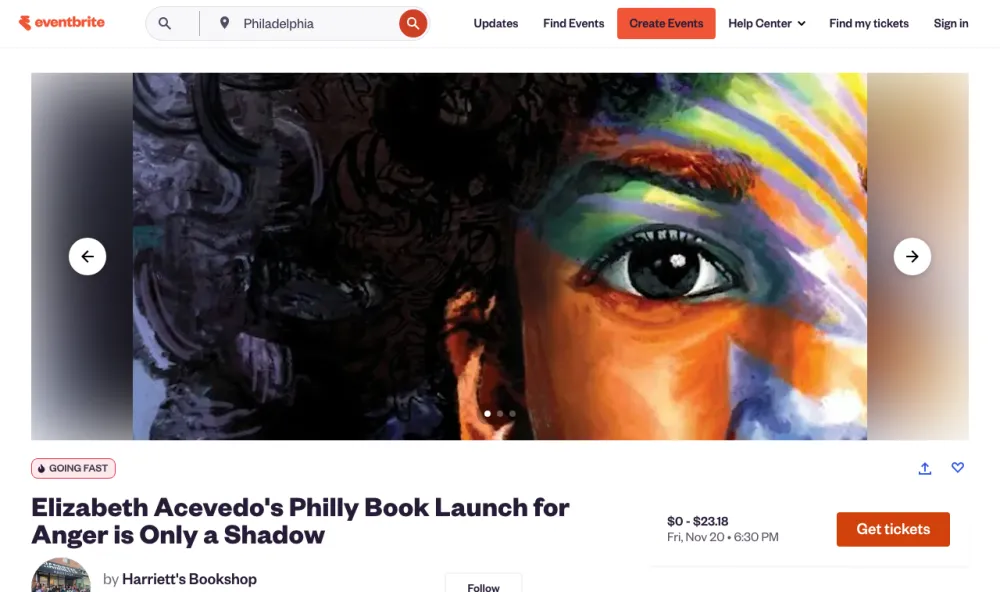
This Eventbrite page is for Elizabeth Acevedo’s book launch at Harriett’s Bookshop. The page shows “Fri, Nov 20 • 6:30 PM” and the bookshop’s name, but not its address.
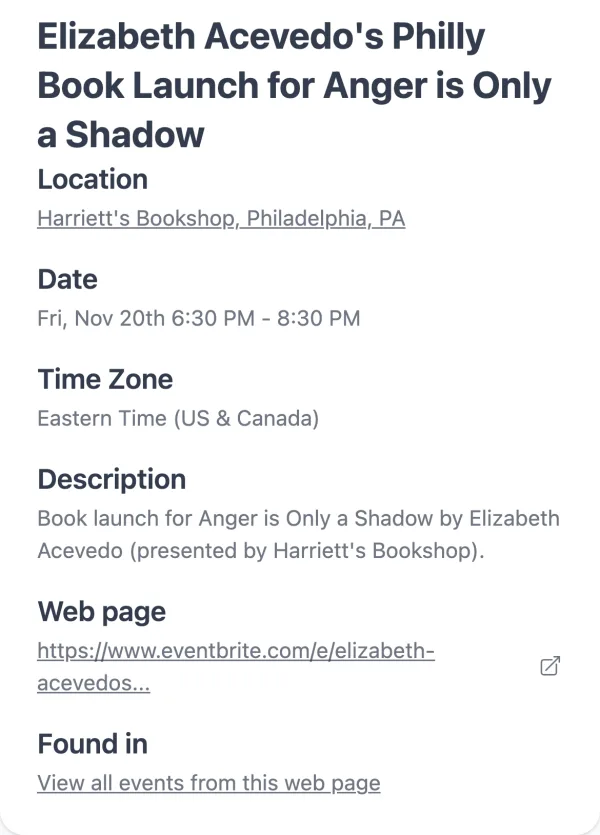
Calendar Vision created the event on Friday, November 20 at 6:30 PM and looked up the bookshop’s address on Girard Avenue. The event keeps a link back to the Eventbrite page, so you can get to tickets later. Tap “Add to Calendar” to put it on your calendar, or sync it.
What if the page lists more than one event?
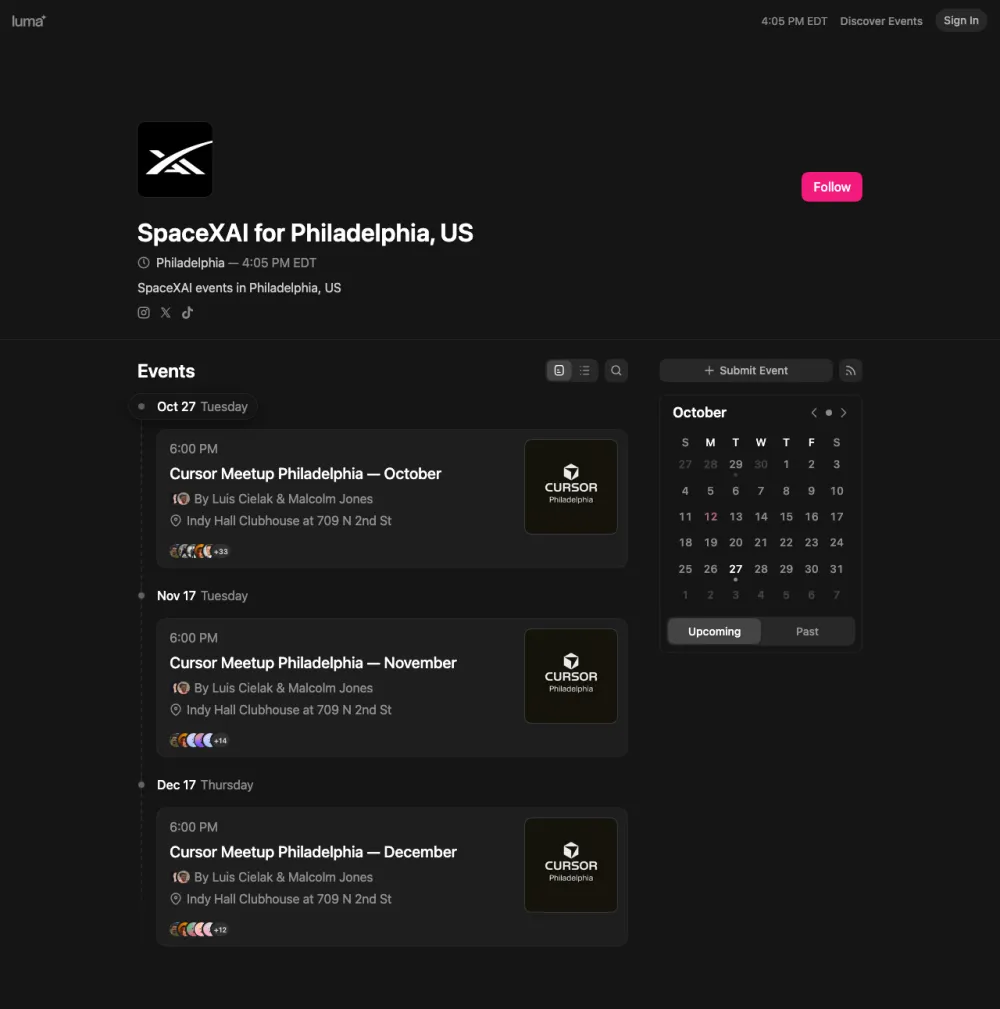
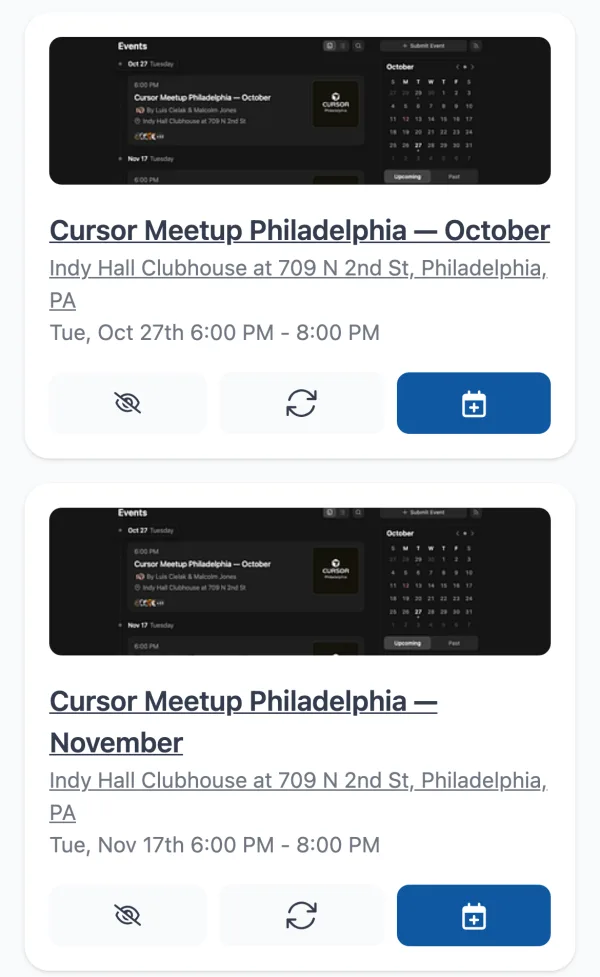
You get one event per date. Philadelphia’s monthly Cursor meetup is listed on a Luma calendar page with the next three meetups on it. Sharing that one link created all three, each on the right date at 6:00 PM at Indy Hall Clubhouse.
Can it handle a show with a long run?
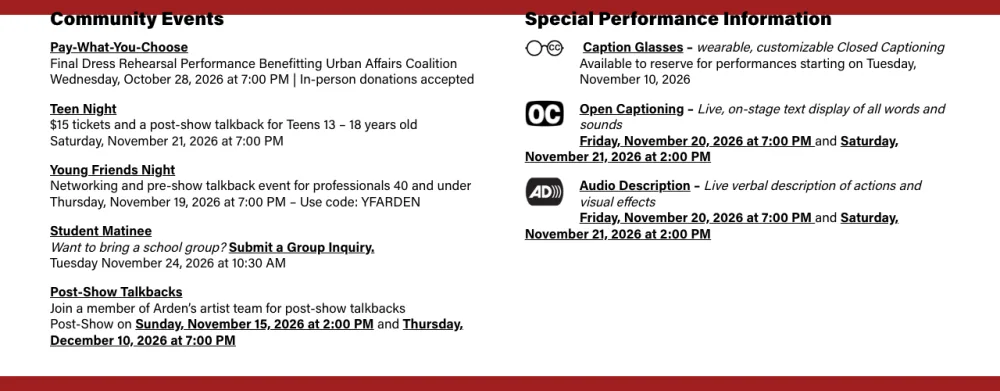
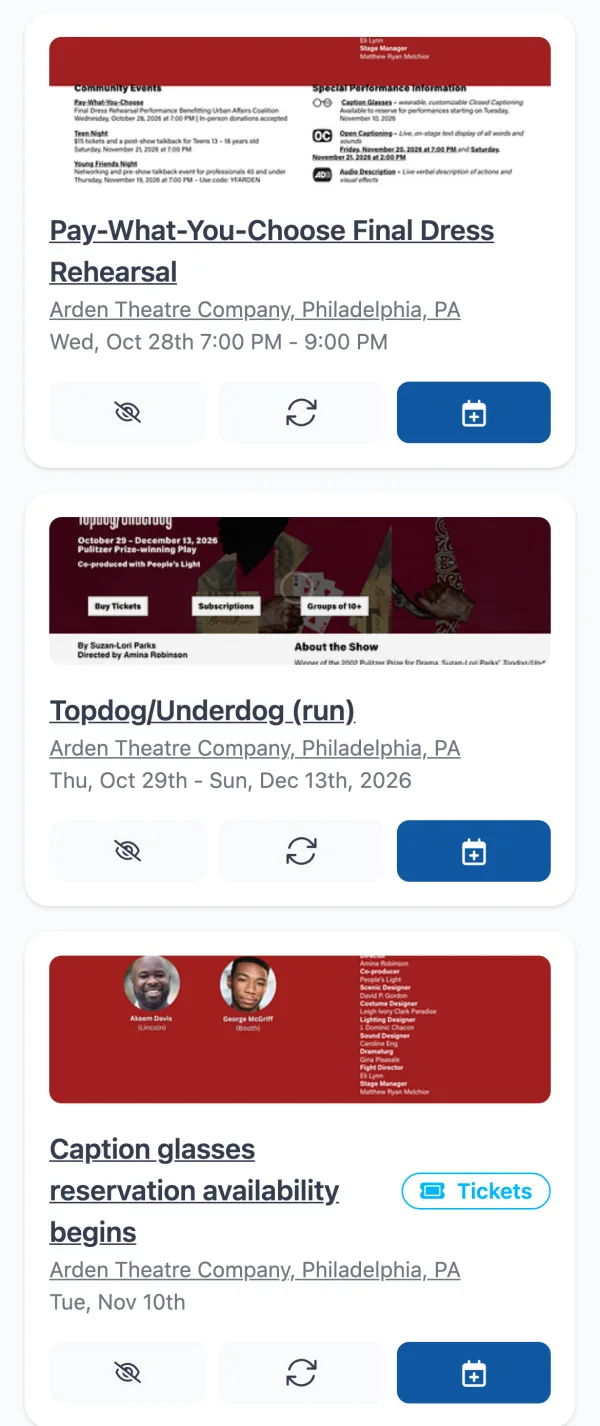
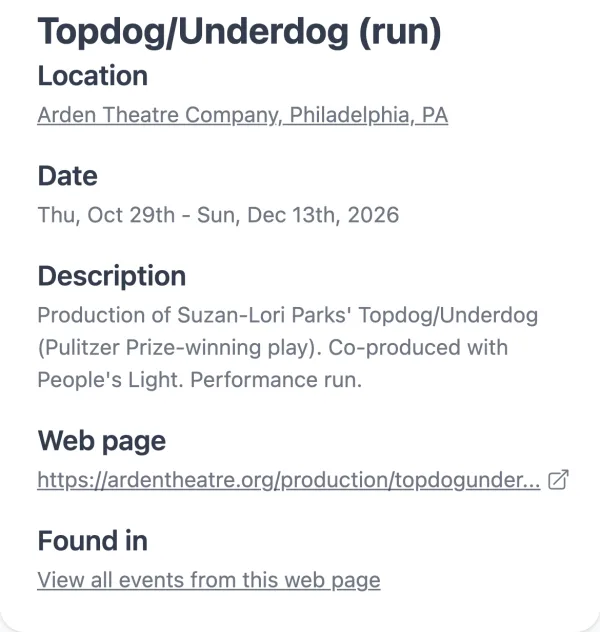
Yes, and it finds the dates you’d scroll past. The Arden Theatre’s page for Topdog/Underdog says “October 29 – December 13, 2026” at the top. Further down, it lists a pay-what-you-choose dress rehearsal, Teen Night, Young Friends Night, a student matinee, two post-show talkbacks, and the open-captioned and audio-described performances.
Calendar Vision created about a dozen events from the page. The run is a single all-day event from October 29 to December 13, so your calendar isn’t filled with a performance every night. Each special performance is its own event at its own time, so you can add the open-captioned Saturday matinee or the Thursday talkback without hunting for the date again.
What kinds of pages work?
| The page | Calendar Vision creates |
|---|---|
| A single event, like an Eventbrite listing | One event with the venue’s address looked up |
| A calendar or list of upcoming events, like a Luma calendar | A separate event for each date |
| A show with a run, like a theater production | One event spanning the run, plus each special performance |
| An announcement with an on-sale date | The event plus a ticket sale event |
| A weekly class or open mic | One repeating event |
When doesn’t it work?
Calendar Vision sees the page the way someone who isn’t logged in would see it. So it can’t read:
- Pages that need you to sign in, like private Facebook events or members-only pages.
- Details hidden behind a click, like dates that only appear after you choose a ticket type or expand a section.
- Pages that block automated visitors with a “verify you’re human” check.
For any of these, take a screenshot of the page once the details are showing and share the screenshot instead, the same way you would an Instagram post.
How do I get the best results?
- Share the event page, not the home page. A venue’s home page might list dozens of shows. Share the page for the one you want, unless you want them all.
- Check the end time. Many listings only show when an event starts, so Calendar Vision estimates when it ends. The Luma calendar above only shows 6:00 PM, so Calendar Vision guessed an 8:00 PM end, but the meetups run until 8:30.
- Ignore what you don’t need. A page with a dozen dates gives you a dozen events. Keep the ones you’ll go to and tap ignore on the rest.
- Keep the link. Every event saves the page it came from, so you can get back to tickets or details from the event itself.
Frequently asked questions
- How do I add an Eventbrite event to my calendar without buying a ticket?
- Share the Eventbrite page's link to Calendar Vision. It reads the page and creates the event with the date, time and venue address, and you can add it to your calendar before you register.
- Does it work on any website?
- It works on any page a visitor can see without logging in. Pages behind a sign-in, details hidden behind a click, and pages that block automated visitors won't work; share a screenshot of those instead.
- What if the page lists several dates?
- Calendar Vision creates a separate event for each date. A theater run becomes one event spanning the run, with each special performance as its own event.
- Can I add a web page from my phone?
- Yes. On iPhone or Android, tap Share on the page and choose Calendar Vision. On the web, paste the link into Add Web Page.
- Are the end times always right?
- Not always. Many listings only show a start time, so Calendar Vision estimates the end. Check it before you add the event.