No, a Skylight Calendar doesn’t need a subscription. The screen, the sync with Google, Apple, Outlook, and other calendars, chores, lists, and profiles all work for free. Skylight’s paid tier, Calendar Plus, costs $79 a year in the US after a free first month, and adds Magic Import, meal planning, rewards, the photo screensaver, and Disney Mode. If Magic Import is the reason you’re looking at Plus, the free calendar sync can do that job for much less, and the last section of this post shows how.
This guide is written by the people who make Calendar Vision, a tool that reads events out of photos, PDFs, emails, and web pages. We don’t make a wall calendar, and this isn’t Skylight’s page. Every price and feature below was checked on Skylight’s own store pages and help center on November 6, 2026. We haven’t used a Skylight ourselves, so the Skylight details come from that documentation.
Does Skylight Calendar need a subscription?
No. Skylight’s help article “Does Skylight Calendar require a subscription?” says the core functions are free: managing events on the screen, syncing online calendars, tracking routines, and making lists. Skylight’s product page adds tasks, custom lists, profiles, and the parental lock to the free list, and the mobile app is free too. There is no monthly fee for any of it.
What you pay for is the hardware once, and Calendar Plus every year if you want the extras. Skylight’s store listed the 15-inch Calendar 2 at $299.99 and the 27-inch Calendar Max at $569.99 on November 6, 2026. Either way the screen needs Wi-Fi at all times, with or without Plus.
How much is Skylight Plus?
Calendar Plus is billed once a year. Skylight’s store doesn’t offer a monthly plan for it. New subscribers get the first month free, and one subscription covers every Skylight Calendar in your household.
| Country | Calendar Plus price |
|---|---|
| United States | $79 a year |
| Canada | CA$109.99 a year |
| United Kingdom | £60 to £61 a year (Skylight’s two UK store pages differ) |
| Australia | A$124.99 a year |
Over time it adds up. A Calendar 2 with Plus costs $378.99 in the first year and $694.99 over five years, and $395 of that five-year total is Plus.
Two other Skylight subscriptions get mixed up with Calendar Plus:
- Frame Plus is $39 a year in the US and £29 in the UK. It’s for Skylight’s digital photo frame, not the calendar. If you’ve seen “Skylight Plus is $39,” that is the frame.
- Skylight Assistant is a newer tier at $14.99 a month or $119.99 a year, with a 7-day free trial that needs a card. It includes Calendar Plus, and if you already pay for Plus you can add it for $40 a year. Skylight’s help center describes an assistant that learns your family’s preferences; we haven’t tried it.
What you get with Skylight Plus, and what stays free
| Feature | Free | Calendar Plus |
|---|---|---|
| Calendar on the screen and in the app | Yes | Yes |
| Sync with Google, Apple, Outlook, Yahoo, Cozi, and calendar links | Yes | Yes |
| Chore chart, tasks, and routines | Yes | Yes |
| Custom lists and profiles | Yes | Yes |
| Magic Import (emails, PDFs, and photos into events) | No | Yes |
| Meal planning and recipes | No | Yes |
| Rewards for chores | No | Yes |
| Photo and video screensaver | No | Yes |
| Disney Mode | No | Yes |
Calendar sync is the row that matters most. Skylight syncs with Google, Apple, Outlook, Yahoo, Cozi, and Readdle calendars, and with “any calendar with a public sharing link.” Google and iCloud calendars sync both ways, and Outlook syncs one way, onto the screen. All of that is free.
Is Skylight Plus worth it?
It depends on which of the Plus features your family would use every week.
- Worth it: you plan meals on the screen, your kids earn rewards for chores, or you want family photos on the screen when the calendar isn’t in use. Those features have no free stand-in on the Skylight, and $79 a year buys all of them for every Skylight in the house.
- Probably not: you bought the Skylight to see the family’s week on the wall. That part is free, and so is the sync that keeps it filled.
- Only for Magic Import: you mostly want the school’s emails and PDFs on the screen without typing. You can get that through the free sync for less, as shown below.
Many owners feel strongly about this. The Skylight subreddit’s threads about the subscription are some of its most read, mostly from owners who bought the screen before Plus went up to $79 or who expected the import feature to be included. Skylight states the free and paid features plainly on its store pages today, so check them before you buy rather than after. If you haven’t bought one yet and the cost is the sticking point, the alternatives to Skylight include a tablet you already own and DIY screens.
How Magic Import works
Magic Import is Skylight’s way to turn “emails, paper schedules, and PDFs” into events. Each Skylight Calendar has its own email address, shaped like yourdevicename@ourskylight.com. Forward a school email or send one with a PDF attached, and Skylight’s AI, called Sidekick, reads it and adds the events. You can also upload a photo or a PDF in the Skylight app. Put a family member’s profile name in the subject line and the events go on that person’s profile. The app shows the exact address and subject line under Forward Email.
It needs Calendar Plus. Without Plus, the only ways to get events onto a Skylight are typing them on the screen or in the app, inviting the Skylight’s address to an event, and syncing a calendar.
Get school emails and PDFs onto your Skylight without Plus
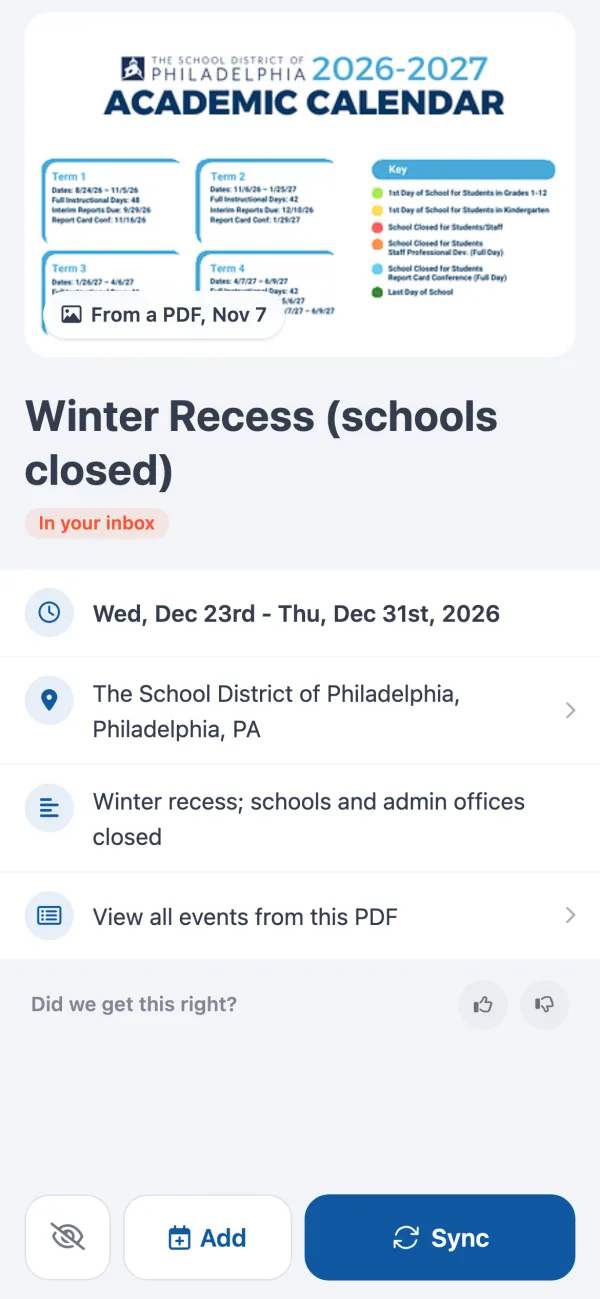
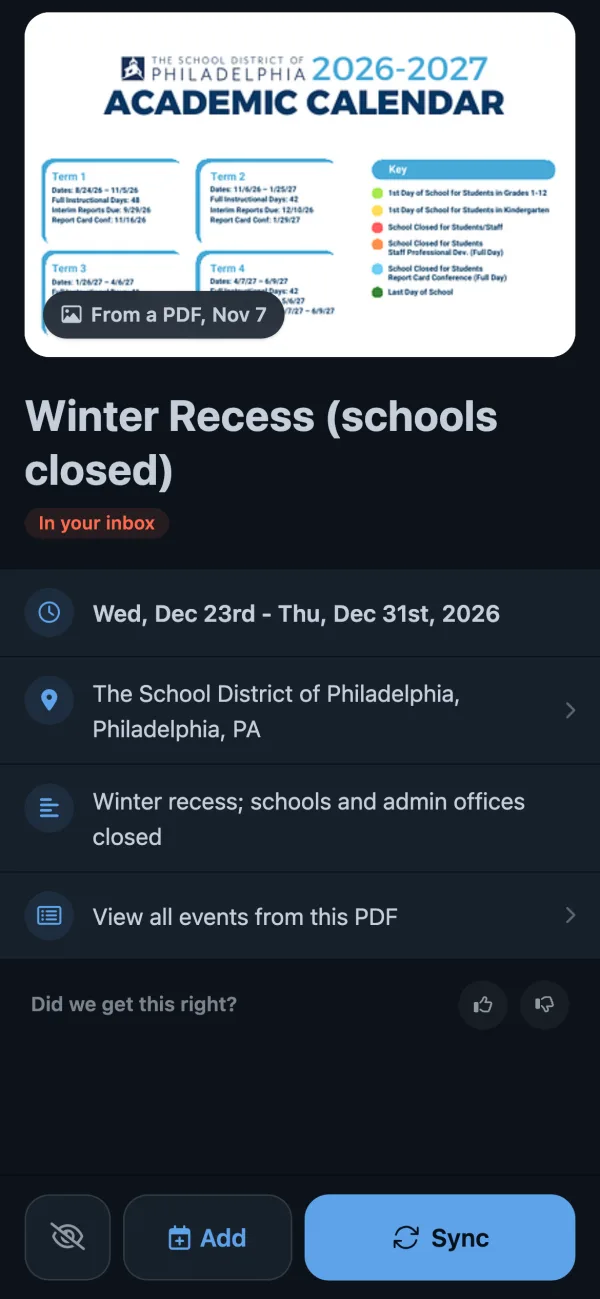
A Skylight shows whatever is in the calendars it syncs. So if something else turns the school’s PDF or email into events, and puts them in a calendar the Skylight syncs, they land on the wall for free. Calendar Vision is that something else. To show what that looks like, here is the Philadelphia school district’s 2026–27 calendar, a four-page PDF.
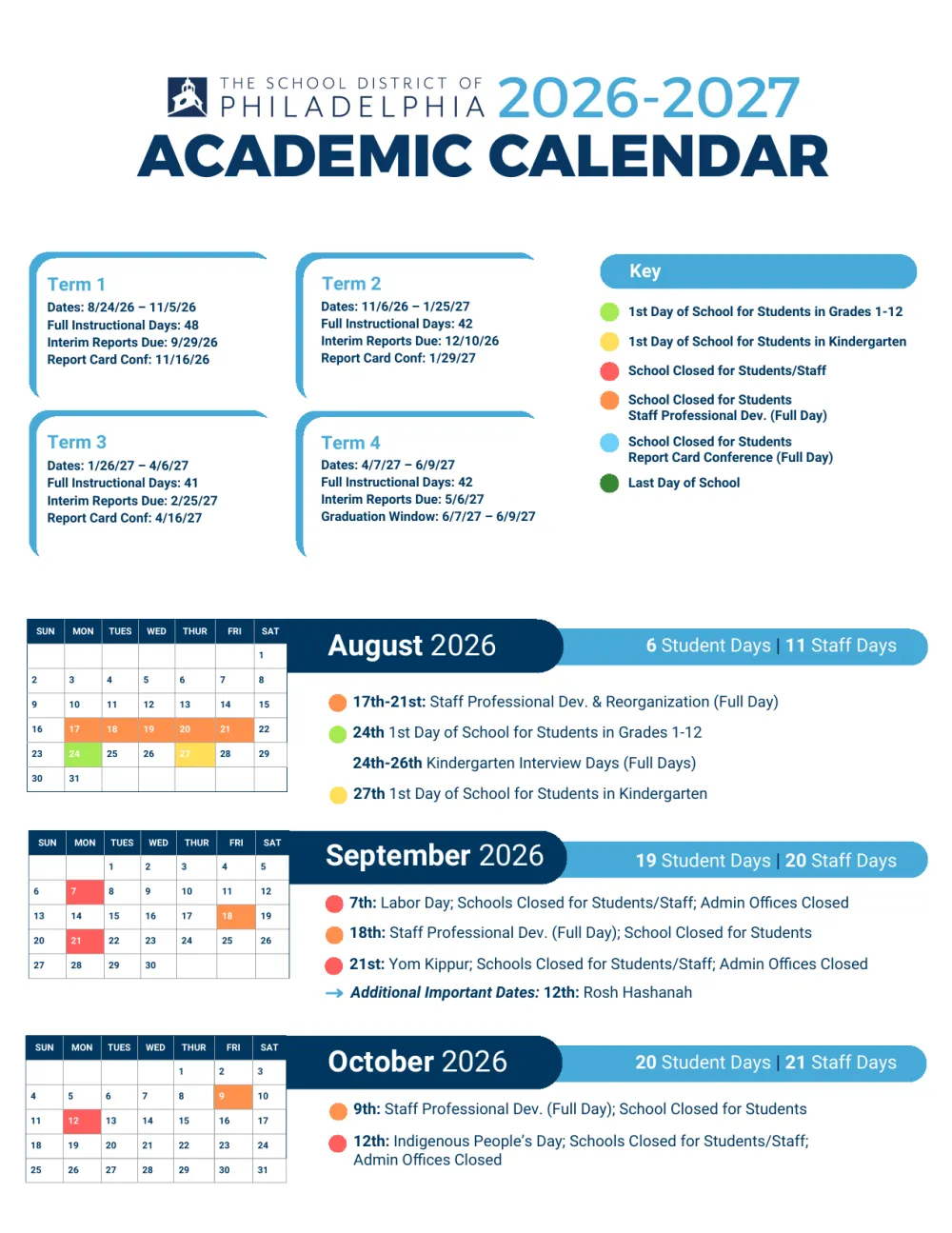
- Send Calendar Vision the schedule. Upload the PDF or a photo of the flyer, or forward the school’s email to your Calendar Vision address. From the Philadelphia PDF it made 54 all-day events, with multi-day breaks like Winter Recess as one event each. How to add a school calendar to your phone walks through it step by step.
- Sync the events you want. Tap Sync on each event, or “Sync all” on the upload. They go into your Calendar Vision calendar.
- Copy your calendar’s address. On the Sync to Calendar screen, copy the URL under “Manually subscribe with another calendar app.” It is a private link that any calendar app can read.
- Add it to the Skylight. In the Skylight app, sync a new calendar and choose the option for a calendar link. Skylight’s help center covers this in its article on syncing an Outlook calendar, which uses the same kind of link. You do this once.
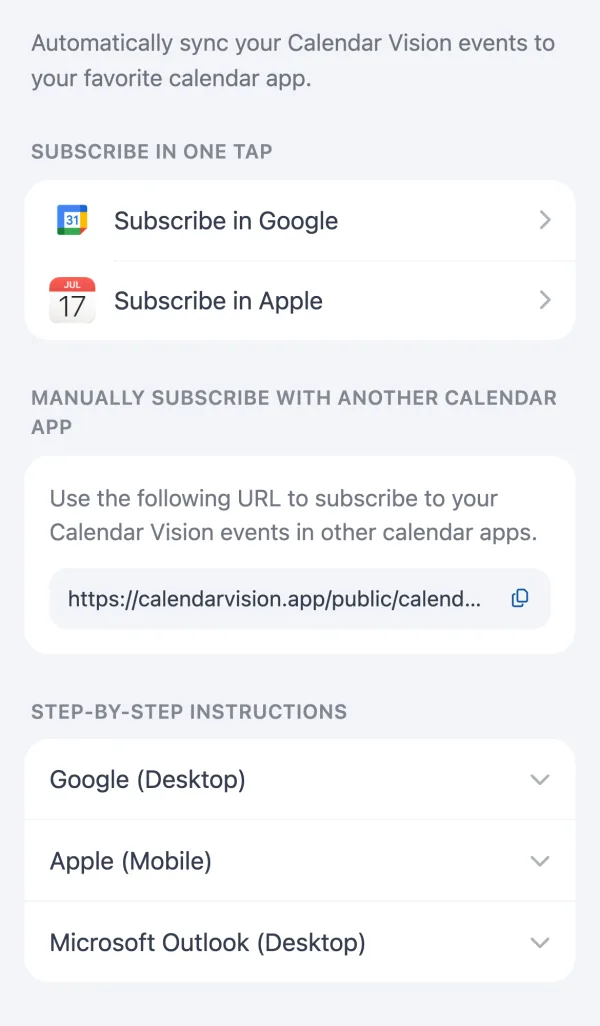
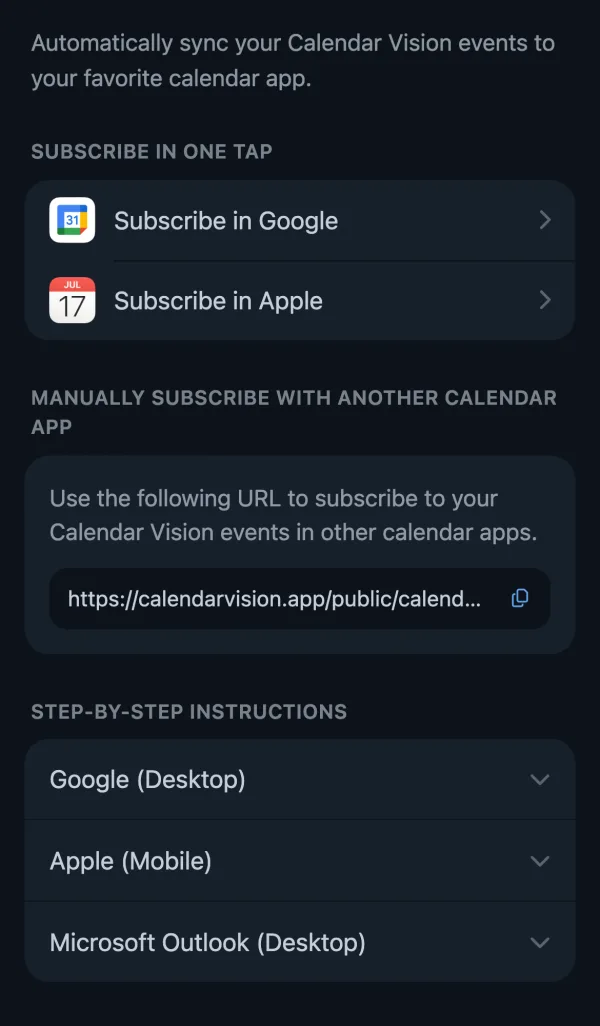
From then on, everything you sync shows up on the Skylight on its own: the next school email, a PDF from camp, the coach’s photo of the season. If you’d rather see the events on your phone too, subscribe to the same address in Google Calendar or Apple Calendar.
It isn’t the same as Magic Import, and it’s fair to say how:
- One calendar, one color. Magic Import can put events on a family member’s profile. The feed arrives as one calendar, which you assign to a profile or color in the Skylight app.
- Edits happen in Calendar Vision. A synced link is read-only on the Skylight. Change or remove an event in Calendar Vision, and the change reaches the screen the next time Skylight refreshes the calendar.
- Not instant. Skylight checks a calendar link on its own schedule, so a new event can take a while to appear.
- The rest of Plus stays paid. This replaces the import only. Meal planning, rewards, and the screensaver still need Plus.
What it costs: Calendar Vision is free for your first 3 extractions, and Pro is $3.99 a year or a one-time $9.99 for unlimited ones. That’s against $79 a year for Plus. The same feed also works with the other family calendar apps, if you ever move off the Skylight.
Frequently asked questions
- Does the Skylight calendar have a monthly fee?
- No. The calendar, its sync with Google, Apple, and Outlook, chores, and lists are free. Calendar Plus is billed yearly, $79 in the US, with no monthly plan. Only the newer Skylight Assistant tier has a monthly option, at $14.99.
- Is Skylight Calendar worth it without a subscription?
- Yes, if you want the family's week on the wall. The screen, calendar sync, chore chart, lists, and profiles all work without Plus. You give up Magic Import, meal planning, rewards, the photo screensaver, and Disney Mode.
- Is Skylight Calendar Plus subscription worth it?
- It is if your family will use meal planning, chore rewards, or the photo screensaver every week, since $79 a year covers every Skylight in the house. If you mainly want Magic Import, a capture tool feeding the free calendar sync does that for less.
- Do I need a subscription for my Skylight calendar?
- No. Skylight's help center says the core features, including managing events, syncing online calendars, routines, and lists, work without a subscription. Plus is optional.
- Can I get Magic Import without Skylight Plus?
- Not Skylight's own, which needs Plus. You can get the same result with the free sync: Calendar Vision turns the school's email, PDF, or photo into events, and the Skylight syncs your Calendar Vision calendar by its link. It's free for 3 extractions, then $3.99 a year.
- What's the difference between Skylight Plus and Skylight Assistant?
- Calendar Plus is $79 a year and adds Magic Import, meal planning, rewards, the screensaver, and Disney Mode. Skylight Assistant is $119.99 a year or $14.99 a month, includes Calendar Plus, and adds an AI assistant. Plus subscribers can add it for $40 a year.