For most families on a mix of iPhones and Androids, the free Family calendar that comes with a Google family group is the best family calendar app, and TimeTree is the best one that isn’t tied to an account. A household that wants grocery lists and meal plans next to the calendar should look at Cozi, and a family that wants the calendar on the kitchen wall should look at Skylight. Whichever you pick, the hard part is the same: getting the school’s PDF, the coach’s photo, and the daycare’s email into it without typing, and that is the column where the apps differ most.
This comparison is written by the people who make Calendar Vision, a tool that reads events out of photos, PDFs, emails, and web pages. It is not a family calendar, so it isn’t in the ranking. It does come up in the section on getting events in, because that is what it is for.
How we compared them
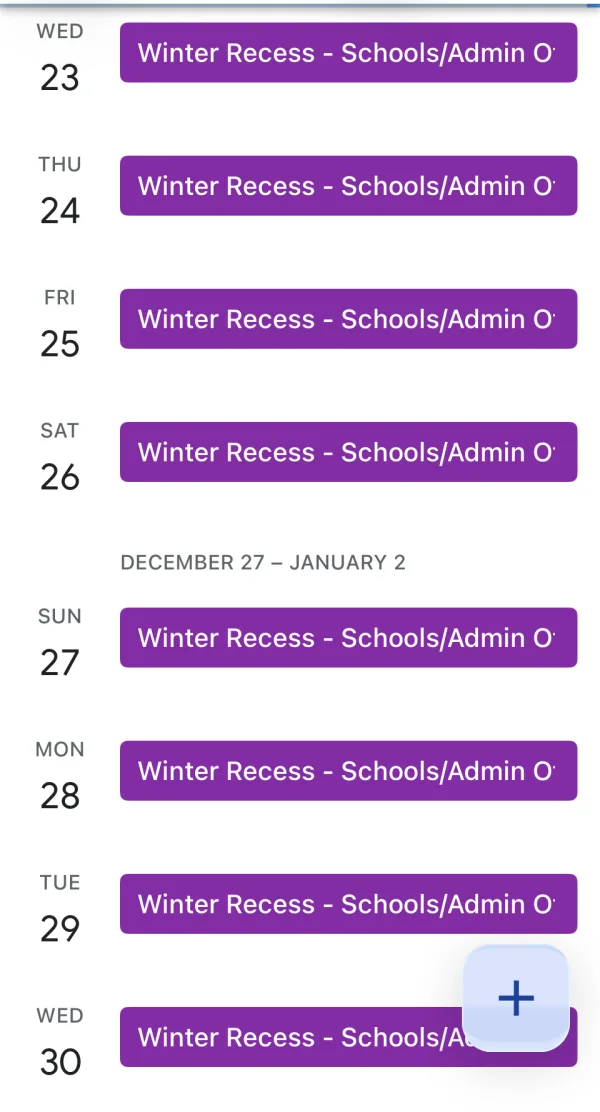
I checked prices, free tiers, and paid features for every app on this list on November 5, 2026, on the vendors’ own pricing pages and support sites. I installed Cozi and FamilyWall on my iPhone and went as far as the free tier allows, which is how I found the paywalls on their import features. The sync test used a real school calendar: the School District of Philadelphia’s 2026–27 calendar PDF, uploaded to Calendar Vision, with the Winter Recess event synced into Google Calendar on my phone. TimeTree, Skylight, Hearth, and the Google and Apple family calendars are described from their documentation, and the post says so where it matters. Prices are in US dollars from the US stores; yours may differ, and they change.
The best family calendar apps
Google Calendar’s Family calendar
Price: free. Phones: iPhone and Android. When you create a Google family group, Google makes a calendar named “Family” that every member sees in Google Calendar on any device where they are signed in. Everyone in the group can add and edit events, and the calendar shows up next to each person’s own calendars in the app they already use.
There is nothing beyond events: no lists, no chores, no meal plan. For getting events in, you type them, Google adds some from Gmail on its own, or you subscribe the account to any calendar feed. There is no photo or PDF import.
Best for: families on mixed phones who already live in Google Calendar and don’t want another app.
Apple’s Family Sharing calendar
Price: free. Phones: iPhone, with a read-only web view for everyone else. Setting up Family Sharing creates a shared calendar called “Family” in the Calendar app on every family member’s device. Events on it are shared with the whole family, and it works with the reminders, photos, and purchases that Family Sharing already handles.
Like Google’s, it is a calendar and nothing else. Events get in by typing, from the suggestions Mail and Messages make when they spot a date, or by subscribing to a feed. If one parent is on Android, this is the wrong pick.
Best for: households where everyone has an iPhone.
Cozi
Price: free with ads; Cozi Gold at $39 a year removes them and adds features; Cozi Max at $79 a year on the web, $79.99 in the app, adds the AI assistant. Phones: iPhone, Android, and the web. Cozi is the family organizer most parents have heard of: a shared calendar color-coded by person, plus shopping lists, to-do lists, recipes, and a meal planner in one app, with one login the whole family shares.
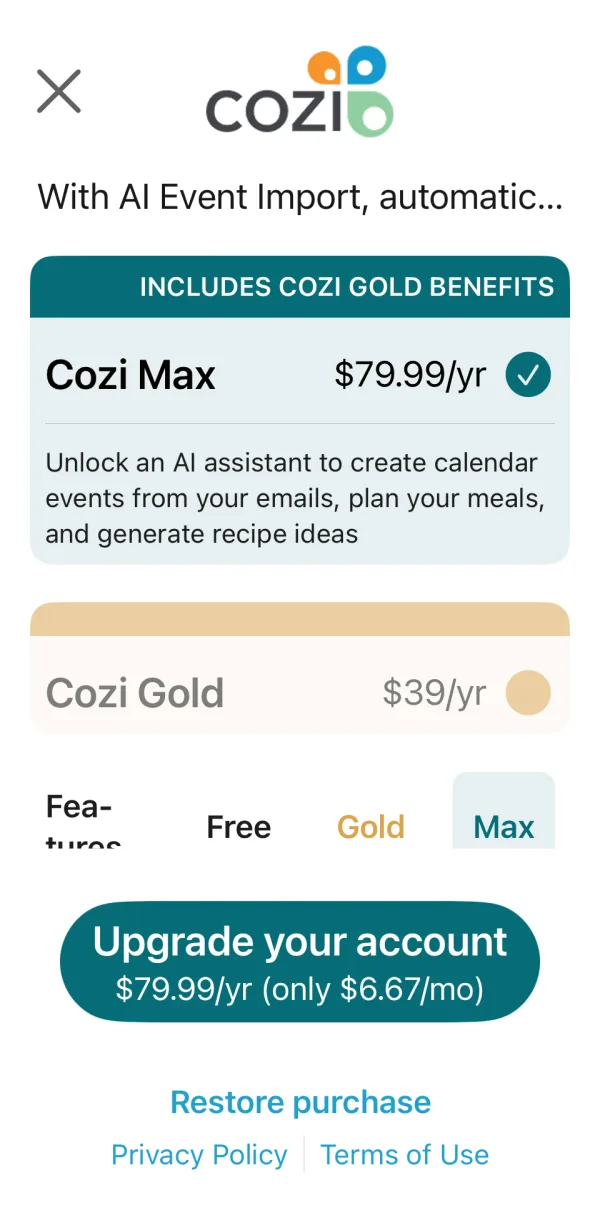
Getting events in is where the tiers matter. You can type events on any tier. Cozi can show your Google, Apple, or Outlook calendar as a read-only layer, and Cozi’s site doesn’t say which tier that needs; on my phone the free app put it behind an upgrade. AI Event Import, which reads invitations out of your inbox, is on Max only. When I tried to add an event from a photo on the free tier, Cozi showed me the Max paywall at $79.99 a year, and the feature it describes is email import, not photos.
Best for: a family that wants the calendar, the shopping list, and this week’s dinners in one place and is willing to pay for the extras.
TimeTree
Price: free; TimeTree Premium is $4.49 a month or $44.99 a year. Phones: iPhone, Android, and the web. TimeTree lets you make as many shared calendars as you like, one for the family, one for the carpool, one for the grandparents, each with its own members. Every event has a chat thread, which is the feature parents mention most: the question about who is picking up lives on the event instead of in a group text.
Events get in by typing, by importing the calendars already on your phone, which is free, and by Event Scan, which reads a school handout, a poster, or an email screenshot from your camera or album and pulls out the title, date, time, and location. TimeTree doesn’t list Event Scan among the Premium features, which are no ads, file attachments, a vertical layout, and prioritized events, so it appears to be free. I did not test the scan myself, and TimeTree warns that low-resolution images read badly.
Best for: families who want several shared calendars and a conversation attached to each event.
FamilyWall
Price: free; FamilyWall Premium is $7.99 a month or $44.99 a year, with a 30-day trial. Phones: iPhone, Android, and the web. FamilyWall is the all-in-one of the group: a shared calendar, a family messenger, lists, a meal planner, a budget, and a location feature that shows where each family member is. The free tier covers the calendar and most of the organizing.
Premium is where getting events in lives. Showing your Google or Outlook calendar inside FamilyWall needs Premium, and so does subscribing to any calendar by URL; a free account can import an .ics file, but only its first 30 events. Forward Email, which FamilyWall’s help center calls Magic Import, turns emails you forward into calendar events and reads PDF and image attachments too. It is Premium, and I hit that paywall on my phone: $7.99 a month or $44.99 a year.


Best for: a family that wants messaging and location sharing in the same app as the calendar.
Skylight Calendar
Price: a touchscreen that hangs on the wall: $299.99 for the 15-inch Calendar 2, $569.99 for the 27-inch Calendar Max, and about $160 for the older 10-inch model, plus Skylight Plus at $79 a year after a free month for photos, meal planning, and Magic Import. Phones: a companion app for iPhone and Android. Skylight is the calendar for a kitchen wall: a screen the whole family walks past, showing the week with each person’s color, plus chores and a meal plan.
Events get in by typing on the screen or in the app, by syncing Google, Apple, Outlook, Cozi, Yahoo, or any calendar with a public link, or with Magic Import on Plus, which Skylight describes as “forward any email or PDF from school and we’ll convert it into events on your calendar.” The sync is the important one: a Skylight shows whatever is in the calendars you connect, so anything that lands in Google Calendar lands on the wall.
Best for: a family that wants the week visible in the kitchen without anyone opening a phone.
Hearth Display
Price: a 27-inch wall display at $699, often $599 on sale, plus a Family Membership at $9 a month or $86.40 a year after a free month. The basic calendar works without the membership; routines, shared lists, and meal planning need it. Phones: a companion app. Hearth is the other wall calendar, built around routines: each child gets a checklist for the morning and evening on the screen, and the calendar syncs from Google, Apple, and Outlook.
Events get in by sync or by typing in the app. Hearth is not a place to upload a schedule; it shows the calendars you connect, so the path in is the same as Skylight’s.
Best for: families with young kids who want routines and chores on the wall more than the calendar itself.
Comparison table
| App | Price | Phones | Beyond the calendar | Photo, PDF, or email import |
|---|---|---|---|---|
| Google Family calendar | Free | iPhone, Android | Nothing | No |
| Apple Family calendar | Free | iPhone | Nothing | No |
| Cozi | Free with ads; Gold $39 a year; Max $79 a year | iPhone, Android, web | Lists, recipes, meals | Email, on Max |
| TimeTree | Free; Premium $4.49 a month or $44.99 a year | iPhone, Android, web | Chat per event | Image, free |
| FamilyWall | Free; Premium $7.99 a month or $44.99 a year | iPhone, Android, web | Messenger, lists, location | Email, PDF, and image, on Premium |
| Skylight Calendar | $299.99 or $569.99 for the screen; Plus $79 a year | Wall screen plus app | Chores, meals, photos | Email and PDF, on Plus |
| Hearth Display | $699 for the screen; membership $9 a month | Wall screen plus app | Routines, chores | No |
Read the last column with the price column. Four of the seven can create events from an email, a PDF, or a picture, and in three of those four it costs $44.99 to $79 a year on top of the app. Google’s and Apple’s calendars, the two most families already have, can’t do it at all.
How do you get the school schedule into any of them?
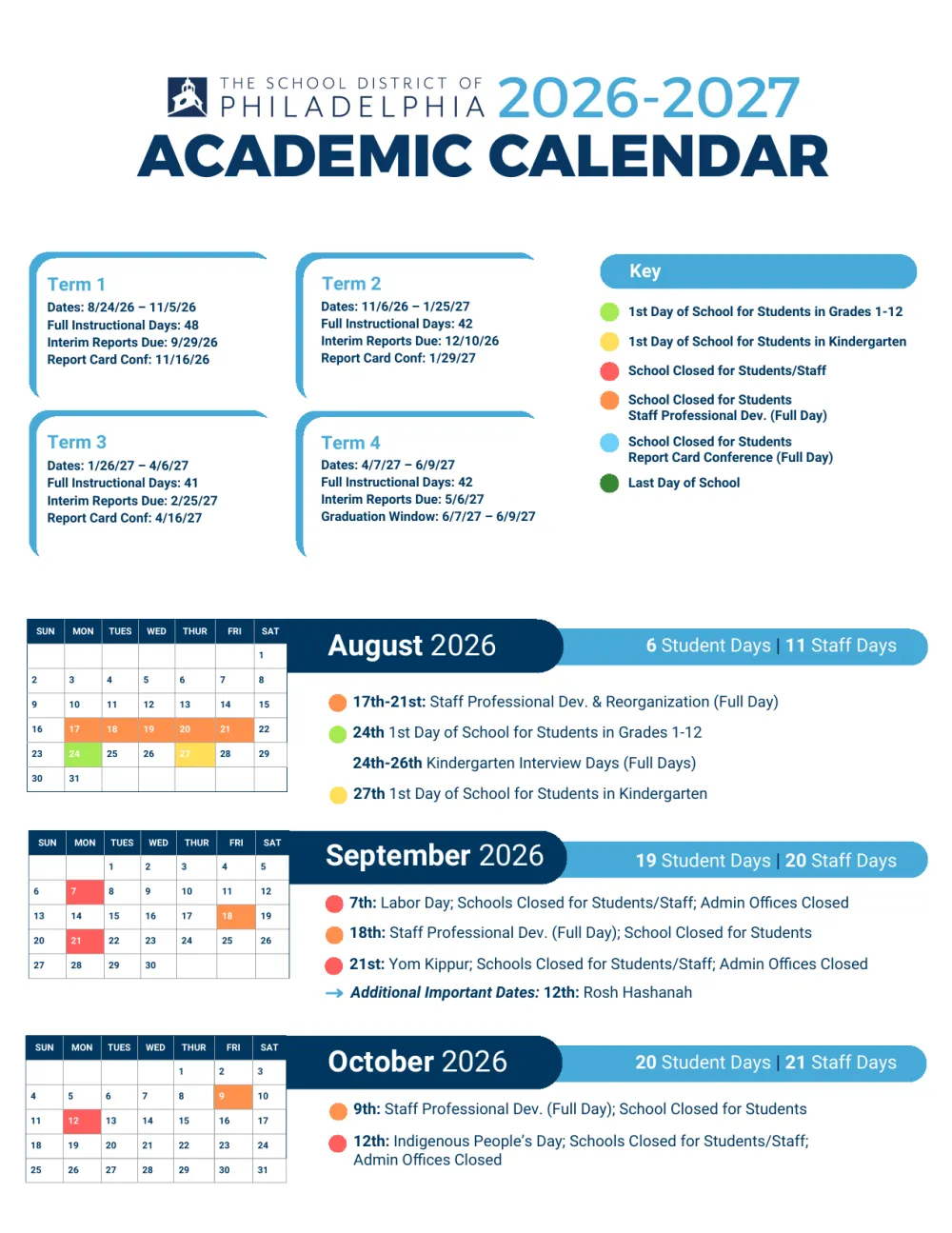
Every app on the list either is a Google, Apple, or Outlook calendar or can show one. So the path that works for all of them is to get the events into one of those calendars and let the family app pick them up. Calendar Vision is how we do that part. To show what that looks like, here is the Philadelphia school calendar, a four-page PDF, going into Google Calendar.
Upload the PDF, and Calendar Vision creates one event per date: 54 of them, every closure and early dismissal, with multi-day breaks as single events. How to add a school calendar to your phone walks through the upload step by step.
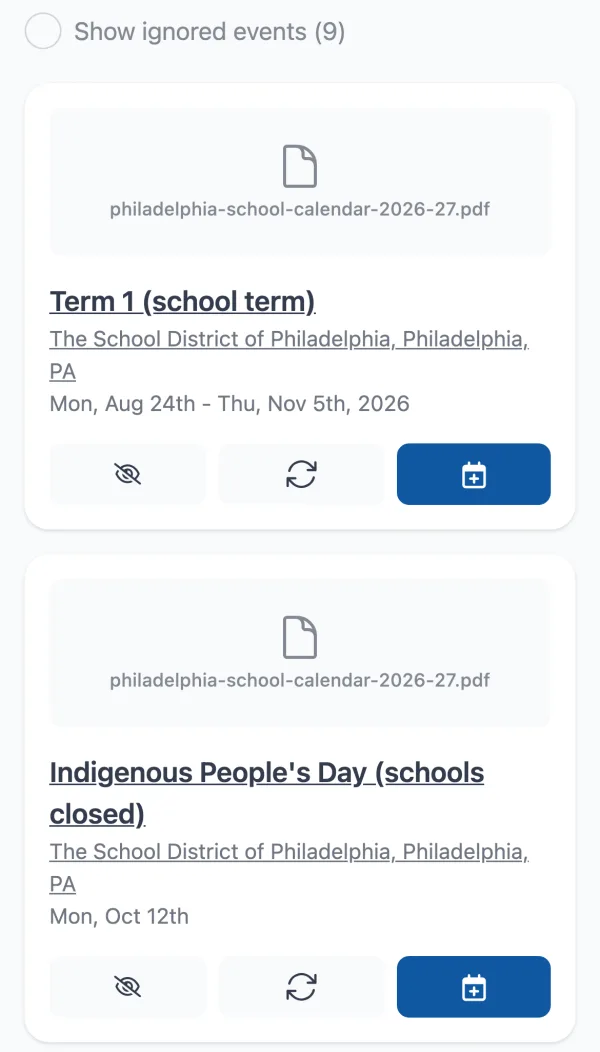
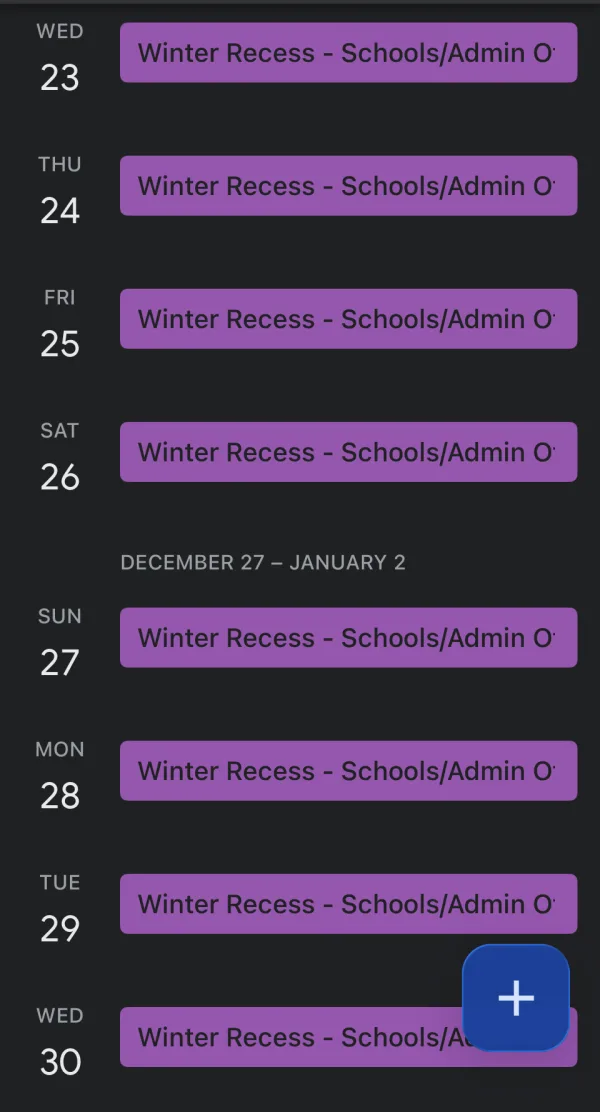
Tap Sync on the events you want, then subscribe to your Calendar Vision calendar once from Google Calendar, Apple Calendar, or Outlook. This is the one step that is per account: each parent subscribes from their own calendar, which takes a minute, and from then on anything you sync shows up without another import. Winter Recess, December 23 to 31, arrived in Google Calendar on my iPhone as one all-day event spanning the whole break.
From there, the family apps take over. Skylight and Hearth show the Google calendars you connect, TimeTree imports the calendars on your phone for free, and Cozi and FamilyWall can show a Google calendar on their paid tiers; connect the account that holds the subscription and the school dates appear next to everything else. The same subscription carries a kid’s sports schedule from a league PDF or a photo, a forwarded email from the daycare, and any PDF schedule a camp or a class sends.
What that replaces: typing the dates, or paying the app’s own import fee. Calendar Vision is free for your first 3 extractions, and Pro is $3.99 a year or a one-time $9.99 for unlimited ones, and it feeds every app on this list rather than one.
Which one should a family pick?
- Mixed phones, no new app: Google’s Family calendar. It is free, everyone can edit, and every other app on the list can read it.
- Everyone on iPhone: Apple’s Family calendar. Same idea, already on the phone.
- Several shared calendars and a chat on each event: TimeTree, free.
- Lists, meals, and the calendar in one place: Cozi, and budget for Gold if the ads wear on you.
- Messaging and location sharing with the calendar: FamilyWall, with Premium if you want it to show your Google calendar.
- The week on the kitchen wall: Skylight, or Hearth if morning routines are the bigger problem than the schedule.
- Want it free: Google or Apple’s Family calendar, or TimeTree. All three do shared editing without a subscription.
Whichever one you choose, decide how the school’s PDF and the coach’s photo will get into it before the first week of September, because that is when a family calendar either gets used or gets abandoned.
Frequently asked questions
- What is the best family sharing calendar app?
- For families on mixed phones, the free Family calendar in a Google family group: everyone can edit it, and every other app in this list can show it. If everyone has an iPhone, Apple's Family calendar does the same. TimeTree is the best pick that isn't tied to a Google or Apple account.
- Is Cozi better than Google Calendar?
- Cozi adds shopping lists, meals, and recipes next to the calendar, which Google Calendar doesn't have, and it is free with ads. Google's Family calendar is free, ad-free, and already on the phone, and it can show in Cozi, Skylight, and Hearth. Pick Cozi if you want the lists; pick Google if you only want the calendar.
- Is there a free family calendar?
- Yes. Google's Family calendar, Apple's Family calendar, and TimeTree are free with shared editing and no subscription. Cozi and FamilyWall have free tiers, with ads in Cozi and the sync and import features behind their paid plans.
- What is the best calendar app for family planning?
- For planning meals and shopping alongside the calendar, Cozi. For routines and chores on a screen the kids can see, Skylight or Hearth. For the plain schedule shared across mixed phones, Google's Family calendar.
- Can I add a school calendar PDF to Cozi or TimeTree?
- Not directly in Cozi; its AI import reads emails and is on Cozi Max at $79 a year. TimeTree's Event Scan reads a photo of the schedule. For either, the path that works on every tier is to upload the PDF to Calendar Vision, sync the events, and subscribe your Google or Apple calendar, which both apps can show.
- Does Calendar Vision replace a family calendar?
- No. Calendar Vision reads events out of photos, PDFs, emails, and web pages and puts them in the calendar you already use. Your family calendar app is still where everyone looks; Calendar Vision is how the school's and the league's schedules get into it without typing.