Syllabus to calendar
Upload your syllabus as a PDF or a photo. Calendar Vision finds every exam, due date and break, and puts them in Google Calendar, Apple Calendar or Outlook.
Sign up free to add your syllabus
PDF, JPG, PNG or GIF. Your first 3 files are free.
Already have an account? Log in
How to put your syllabus in Google Calendar
- Upload the syllabus PDF from your course page, or take a photo of the printed one.
- Check the events. Every exam, quiz, assignment, project and day off is its own event on its own date; fix or remove any of them.
- Download them all as one .ics file and import it into Google Calendar, Apple Calendar or Outlook, or sync them straight to your calendar.
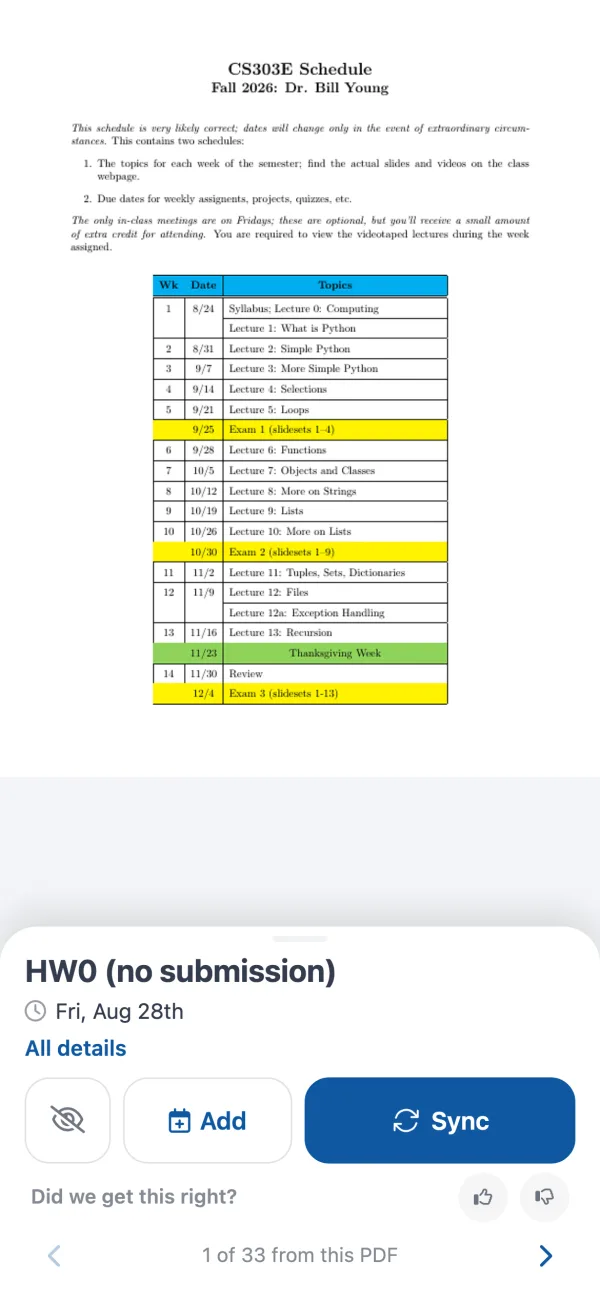
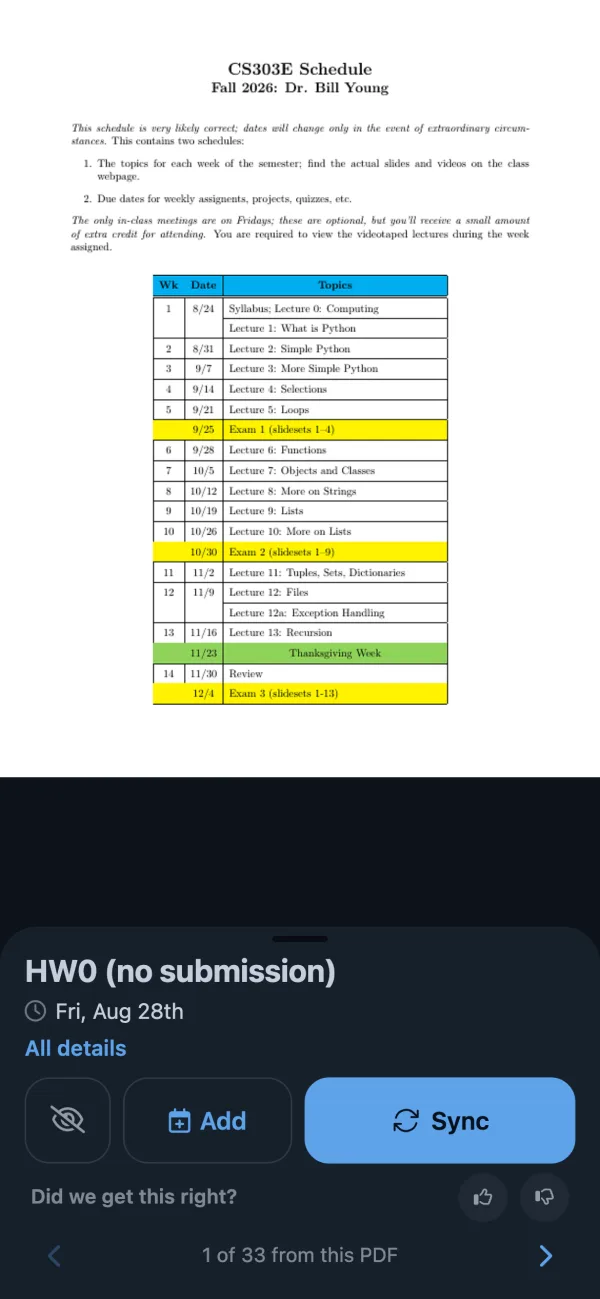
What it finds in a syllabus
- Midterms, finals and quizzes, with their times when the syllabus gives them
- Homework, lab, essay and project due dates
- Holidays, breaks and days with no class
- Class sessions and their topics, if you tick the box
Tips
- Upload every course's syllabus at the start of term, so the whole semester is in one place.
- Dates without a year, like "Mon 9/14", go in the term that is coming up.
- When your instructor posts a new schedule, upload it again and remove the old events.
Questions
- How do I import a syllabus into Google Calendar?
- Upload the syllabus on this page. Calendar Vision turns each exam, due date and break into an event, then you download them as one .ics file and import it in Google Calendar under Settings, Import & export, or sync them straight to your calendar.
- Can I add my syllabus to Apple Calendar or Outlook?
- Yes. The .ics file opens in Apple Calendar and Outlook, and you can also sync the events to either one.
- Does it work with a photo of a printed syllabus?
- Yes. Upload a JPG, PNG or GIF of the page and Calendar Vision reads it the same way as a PDF.
- Will my class sessions show up as events?
- Only if you want them. By default you get exams, due dates and days off. Tick "Also add each class session" to get an event for every class meeting too.
- Can I add all my classes at once?
- Upload one syllabus at a time. Each one becomes its own set of events, so you can review each course before adding it.
- Is it free?
- Your first three files are free, with every feature. After that, Calendar Vision Pro costs $3.99 a year or $9.99 once for unlimited files.
Read the full guide to turning PDF schedules into calendar events
Not a syllabus? Convert any PDF or image to ICS